Your Reading Setup Matters More Than Willpower
Lighting, chair, font size, Do Not Disturb. Your reading environment determines whether you'll read for 5 minutes or 50. Here's the full setup guide.
 Lucas Bewersdorff
Related reading
How Long to Read Every Book in a Bookstore
A Barnes & Noble stocks about 66,000 titles. At half an hour a day, reading them all takes about 1,900 years. The math, and the number that matters more.
How to Make a Reading Schedule
Pages left divided by days left is your daily target. How to make a reading schedule that survives a normal week, with buffer days and a catch-up plan.
How Many Pages Can You Read in an Hour?
Most adults read 40 to 50 pages an hour. Here is the pages-per-hour math, a table by speed band, how book density changes it, and your own real number.
Environment Eats Willpower for Breakfast
Same person. Same book. Same bed. Two different weeks, two completely different results. Last month, traveling, I spent 30 minutes scrolling on a hotel pillow before I even remembered I had a book open. I'd brought the iPad mini, I'd brought the ebook, I'd brought every intention of reading before sleep. The problem was that the phone was on the hotel nightstand (because that's where the phone lives when you travel) and the phone was just a bit closer than the iPad. That was the entire difference.
A few nights later I read an entire chapter without trying. Same book. Same time of night. Same level of tiredness. The phone was in the lounge and the iPad was alone on the nightstand. I picked up the iPad because there was nothing else to pick up.
I used to think reading more was a discipline problem. It isn't. It's an interior-design problem. If the phone is closer than the book, the phone wins. If the book is closer than the phone, the book wins. Willpower is what fills the gap when your environment is fighting you – set the environment up correctly and you don't need willpower at all. This article covers the full stack: the physical space (lighting, position, sound, phone placement) and the digital layer (Focus modes, app settings, the device itself). It's the companion piece to why you can't focus on reading. That one diagnoses the problem; this one solves it by removing the need to push through.
The Physical Setup
Lighting
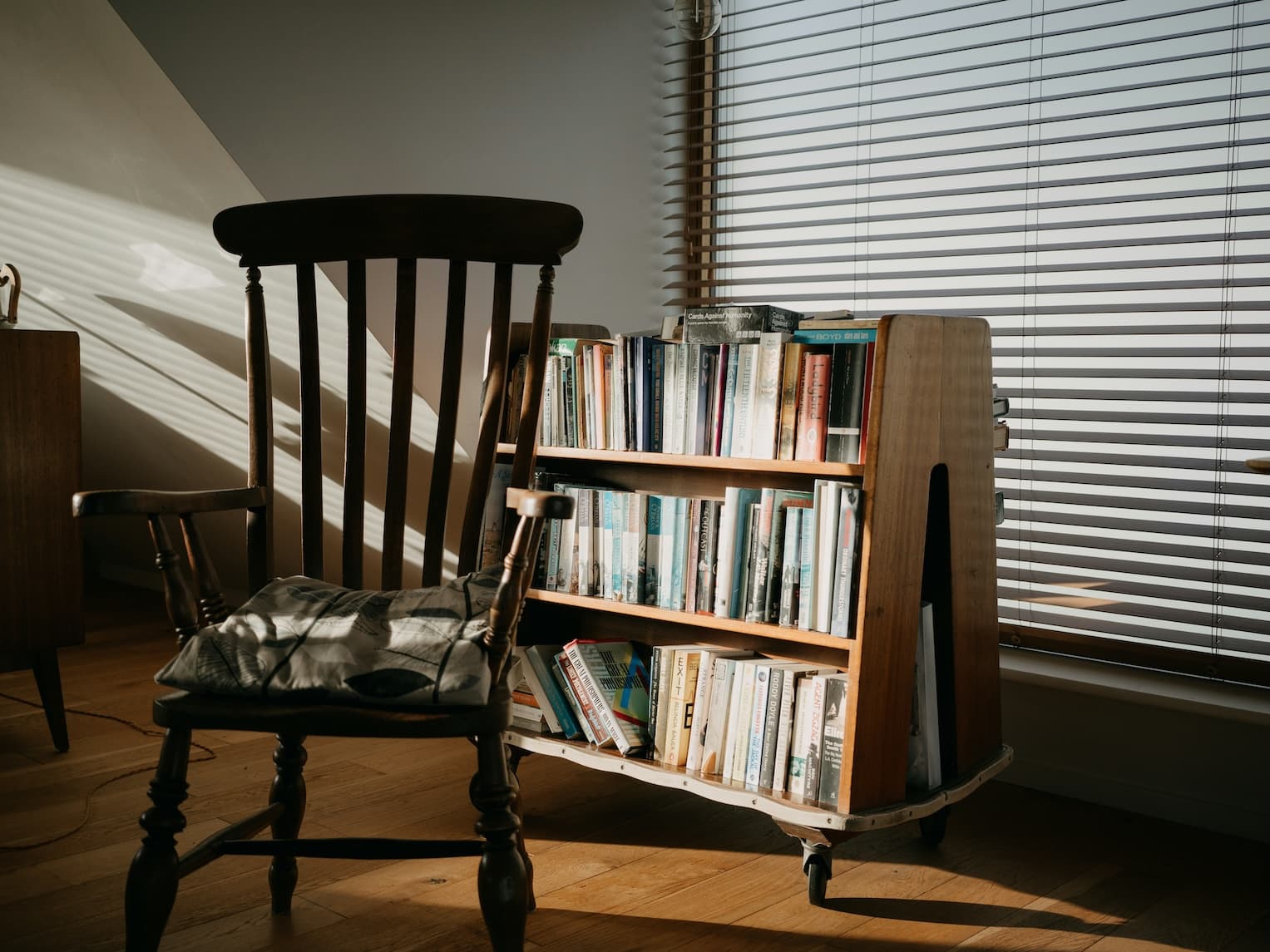
The Pinterest reading-corner has lied to you. You don't need a leather wingback, a brass floor lamp, and a stack of vintage hardcovers. You need light that works at the hour you actually read and a spot you can drop into without setup friction. For night reading, my room is essentially dark – the iPad mini's backlight is the only light source. (More on why that works in the digital section.) For the occasional daytime session on the couch, I want indirect, warm-toned light from a window or a single lamp – never harsh overhead-only lighting, which creates glare on screens and bad shadows on paper books. Warm beats cool, indirect beats direct, "good enough" beats "Instagram-ready."
Seating and Position
Conventional advice says "sit up so you stay awake." I read lying flat, often on my side. It is closer to sleep posture than reading posture, and that's the point: my main reading window is the wind-down before bed, so falling asleep mid-page isn't a failure, it's the destination. (For more on that specifically, see reading before bed.) If you're reading to study or absorb dense nonfiction, propping yourself up against the headboard makes more sense – different goal, different posture. The principle: comfortable enough to stay, not so comfortable you stop tracking the words. Match the position to the purpose.
Sound Environment
Silence. That's it. No lo-fi, no white noise, no ambient playlist. Anything I add competes with the book for the same attention bandwidth. The research is mixed – moderate ambient noise has been shown to help creative tasks (Mehta, Zhu, Cheema, 2012) – but reading isn't creative output, it's sustained focus, and silence is the lowest-friction option. If your environment isn't silent (traffic, kids, partner watching TV), brown noise or instrumental music can mask the inconsistencies and that's a fine workaround. But a quiet room beats every audio crutch. I've gone deeper into the sound environment question in Should You Listen to Music While Reading.
Phone Placement
This one matters more than the other three combined. Default state: phone in another room, charging in the lounge overnight. When that isn't possible – traveling, hotels, the occasional weekend at someone else's place – phone face-down, on silent, and physically further from where I am than the iPad. The principle is path-of-least-resistance: whichever device is closer is the device I'll pick up. So I rig it.
Test your speed in your optimized space
After setting up your reading environment, measure the difference. Take the free Reading Speed Test.
Take the free speed testThe Digital Setup
Device Settings
The iPad mini I read on isn't "mostly used for reading." It's configured as a reader. Every app's notifications are turned off at the system level – not only silenced via Focus, just off. When I pick up the iPad, nothing pops up. No badges, no banners, no surprise emails. Whatever Focus mode I'm currently in is almost irrelevant on that device, because the device itself is silent.
I do still use iOS Sleep Focus on a schedule – auto-engaged every evening through the morning. That covers the phone (in case I do touch it during a reading window) and adds a second layer of redundancy on the iPad. The point is that Focus modes work best when you don't have to remember to turn them on. Set the schedule once and never think about it again.
For the display itself, I let the iPad follow system Dark Mode. During the day, Apple Books shows pages on a clean off-white; at night, the system flips to dark mode and Books switches to a black background with light text. Same default font, same preferred size – no manually toggling sepia themes per session. Auto-Lock is bumped up enough that the screen doesn't dim mid-paragraph.
Reading App Configuration
Apple Books, default font, default size – most of the time. For ebooks with unusually small print I bump the size up a bit. The marginal "more words per page" you get from cramming smaller text isn't worth the eye fatigue over a 30+ minute session. Line spacing and margins: defaults. The goal is to spend zero ongoing decision energy on app configuration. Set it once and stop fiddling – every minute you spend tweaking the reading app is a minute you're not reading.
The Single-App Rule
Your reading device should feel like a book, not a computer. In practice, that means closing every other tab and dismissing every other app before you start. On a phone or iPad you have to do this deliberately, because the next "just check" is one swipe away.
I take it a step further by making the iPad mini itself behave like a single-purpose device. Reading is its primary job; a couple of low-stim apps (Notes, the Apple Books store) ride along. Email, social, web browsing – all of that happens on a different device entirely. There's no possibility of getting yanked out of a book by an app I shouldn't have been in. The iOS-side mechanics of this overlap with the reading before bed article if you want the bedtime-specific version.
Design Your Reading Ritual
Habit research has a clean frame for what we're really doing here. BJ Fogg's behavior model – behaviors happen when motivation, ability, and a prompt show up at the same time – points at the prompt as the lever you can actually engineer. The environment IS the prompt. Your reading spot should pull reading out of you the way a kitchen pulls out hunger.
My version is anticlimactic. The iPad mini lives on the nightstand. It's not pre-opened to a specific page; there's no aesthetic "book waiting for you" tableau. It's just there, locked, closer than the phone, silent because the device itself is configured to be silent. When I get into bed, I see it. When I wake up, I see it. No nightly intention to remember, no decision to make, no negotiation. The hard part of reading more was solved long ago, when I decided where the iPad sleeps. The same logic applies to morning reading and to building a reading habit more broadly: make the cue closer to your hand than the alternative, and you'll act on it without thinking.
Plan reading sessions that fit your setup
Use the free Reading Time Calculator to estimate session lengths and see how your daily reading adds up.
Calculate your reading timeMake It Easy, Make It Automatic
Stop relying on willpower and start relying on design. Every minute you spend engineering the environment is a minute you don't have to spend negotiating with yourself at bedtime. If you only do three things, do these:
- Get the phone out of the bedroom. The single highest-leverage change. If "out of the room" isn't realistic, make the phone physically further from where you read (and where you sleep in general) than the device you read on.
- Schedule a Focus mode, don't toggle one. A recurring Sleep Focus on the evening + morning windows means your reading time is silent without you having to remember.
- Pick one reading spot and commit. I read in bed. You might read in a chair, on a couch, on the train. Whichever it is, stop trying to read in five different places and design the one that actually works.
I built ReadingHabit to slot into a setup like this – quick session logging, visible streaks, progress you can see at a glance. It's meant to be part of the environment, not another app to manage.
Let your environment do the heavy lifting
ReadingHabit fits into your reading ritual with quick session tracking, streaks, and progress you can see. Join the waitlist for early access.